
Paici - Learn Chinese by Photo | Product Features
Snap & Learn Chinese Instantly
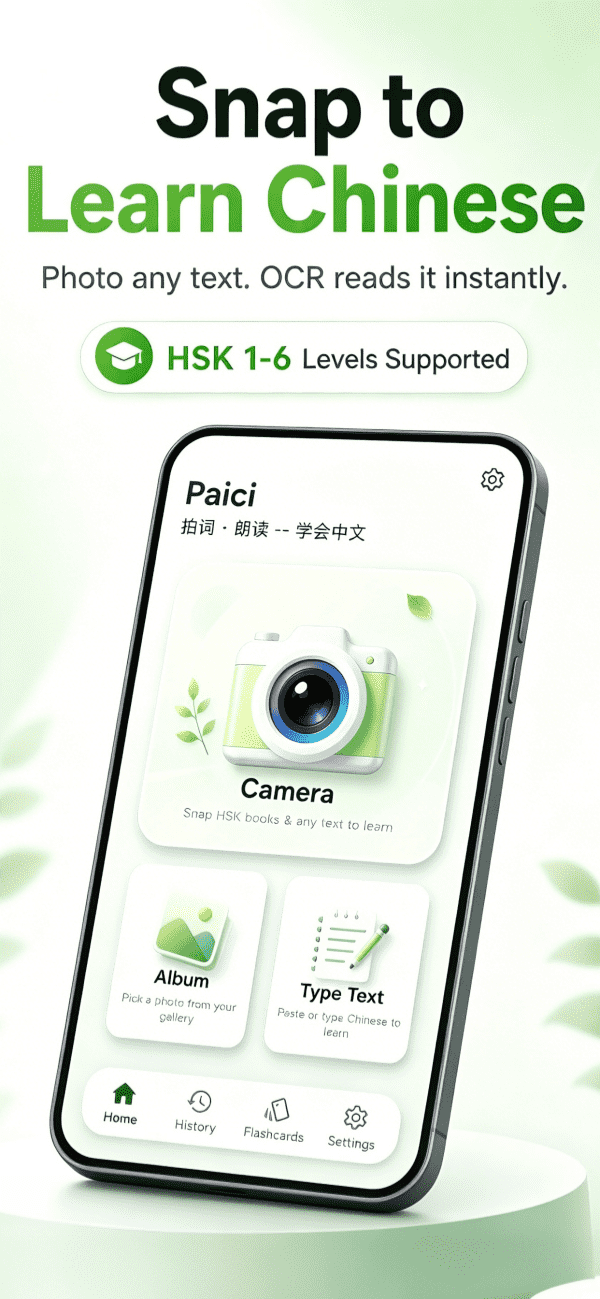
Struggling with Chinese learning? Open any HSK textbook, Chinese book, newspaper, or article, take a photo — Paici instantly recognizes the text, automatically segments it into sentences, and lets you start learning anytime, anywhere.
Snap & Learn
OCR photo recognition for Chinese text. HSK textbooks, novels, menus — any printed content digitized with one snap.
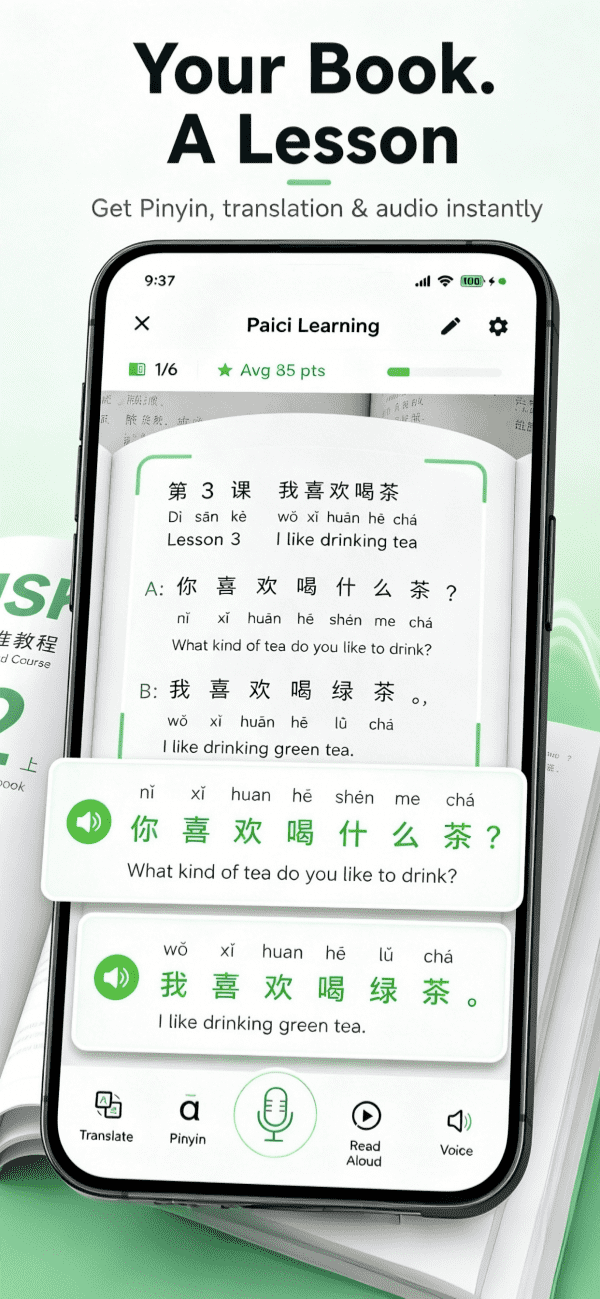
AI Reading Aloud
Multiple AI voices (male/female, Cantonese, Northeastern dialect, etc.), speed adjustable 0.7x–1.3x, adapting to different listening levels.
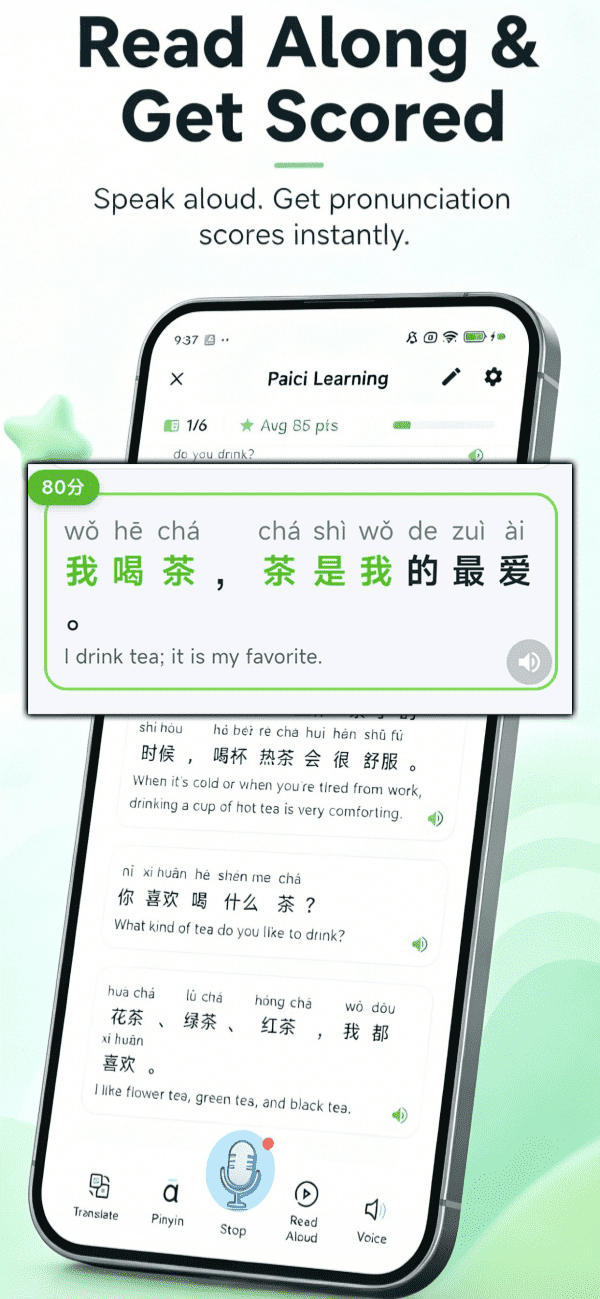
Follow & Score
Read along sentence by sentence, AI automatically detects pronunciation accuracy and scores. Real-time pinyin display helps you practice speaking more naturally.
Pinyin & Translation
Auto-generate pinyin with tone marks, and translate into your native language. Long articles support chapter-by-chapter translation for barrier-free reading.
Word Lookup
Tap any word to see detailed explanations, pinyin, translation, and pronunciation. Never skip a new word again — look it up with one tap.
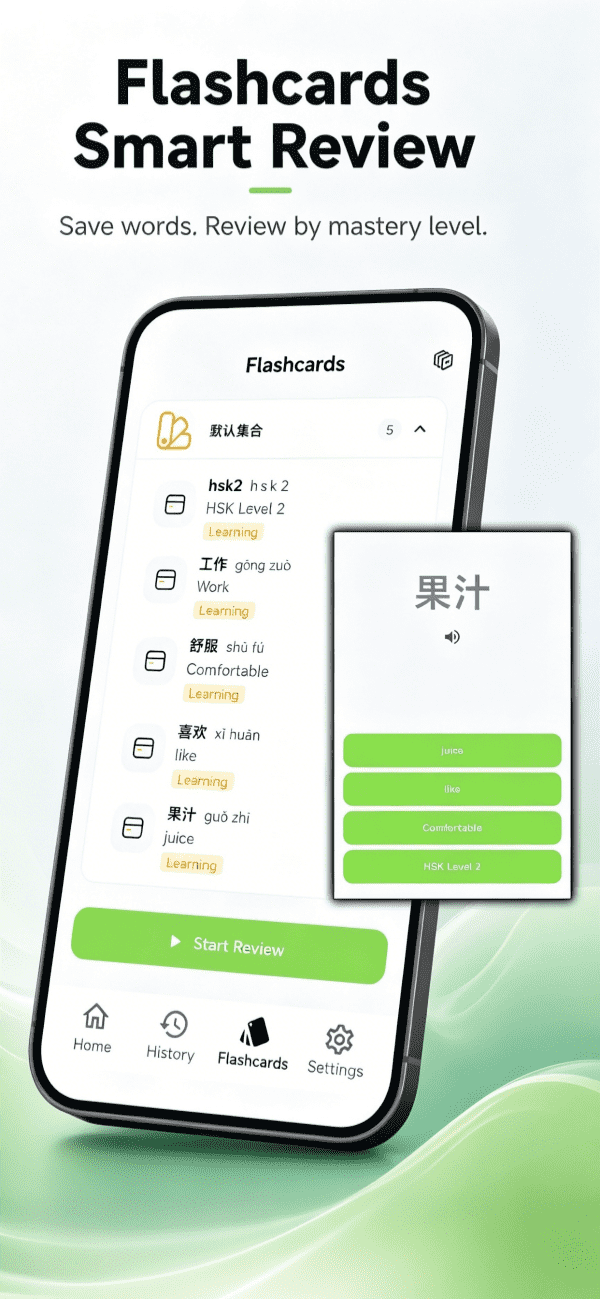
Flashcard Review
Add unfamiliar words to flashcards, organized by word sets. Review mode filters by mastery level with spaced repetition to truly memorize vocabulary.
AI Conversation Training
Start an AI conversation about any word or sentence for in-depth explanations, grammar analysis, and usage practice. Your personal Chinese tutor.
App Screenshots

Why Choose Paici?
OCR Photo Recognition
Digitize printed content with one snap — HSK textbooks, novels, menus, anything
High-Quality AI Pronunciation
More natural than machine reading, making listening practice more effective
Pronunciation Scoring
The follow-reading feature lets you clearly see your progress
Multi-Language Support
Interface and translation support over 20 languages, accessible to learners worldwide
Free to Use
Daily free quotas let you experience core features at zero cost
Who Is Paici For?
Frequently Asked Questions
What is Paici app?
Paici is a Chinese learning app that uses OCR photo recognition to identify Chinese text, providing AI reading aloud, pinyin annotation, translation, pronunciation scoring, flashcard review, and more to help learners prepare for HSK efficiently.
Which Paici features need internet and which work offline?
OCR photo recognition, pinyin generation, translation, flashcard review, word lookup, and local reading all work offline. AI reading (online AI voices), AI follow-and-score, and AI conversation require an internet connection. Most core learning features work without network, perfect for commuting or areas with poor connectivity.
Do I need to register an account to use Paici?
No registration needed! Download Paici and start learning immediately. All learning data is stored locally on your device, protecting your privacy with no account information to worry about.
How do I look up words in Paici? Can I select text by swiping?
Paici supports tapping any word to view detailed explanations, pinyin, translation, and pronunciation. In reading mode, you can directly tap on words or swipe to select multiple words for instant lookup without typing. You can also add words to flashcards or start an AI conversation for deeper learning.
How does Paici help learn Chinese by photo?
Simply open an HSK textbook, Chinese book, newspaper, or article, take a photo with your phone, and Paici instantly recognizes the text, automatically segments it into sentences, and lets you start learning anytime, anywhere. It supports HSK textbooks, novels, menus, and any printed content.
What devices does Paici support?
Paici supports Android phones and iPhones, available for free download on Google Play and Apple App Store.
What are the features of Paici's AI reading aloud?
Paici's AI reading supports multiple AI voices (male/female, Cantonese, Northeastern dialect, etc.), with adjustable speed from 0.7x to 1.3x, adapting to different listening levels to help train your ear.
Does Paici's follow-and-score support article-level and sentence-level scoring?
Yes! Paici's follow-and-score supports scoring sentence by sentence across an entire article, as well as repeated practice and scoring for individual sentences. After reading an article, you'll see scores for each sentence along with an overall report, clearly identifying areas where your pronunciation needs improvement. This makes it ideal for school and classroom oral training — teachers can assign article read-aloud homework, and students can practice independently with instant feedback.
How does Paici's follow-and-score feature work?
Paici provides sentence-by-sentence follow reading, where AI automatically detects pronunciation accuracy and scores it. Pinyin is displayed in real-time, so you immediately know what you mispronounced. Practice repeatedly and your speaking will become more native-like.
How does Paici help with HSK preparation?
Paici helps with HSK preparation by photo-recognizing HSK textbook content, providing AI reading aloud for listening practice, follow-and-score for speaking practice, pinyin translation for comprehension, and flashcard review to reinforce vocabulary.
Can Paici be used for self-study with Chinese books?
Absolutely! Open any Chinese book — novels, essays, newspapers, magazines — snap a photo, and Paici automatically recognizes all Chinese content. Listen sentence by sentence with AI reading, view pinyin and translation, tap unknown words to look them up, and add new vocabulary to flashcards. Turn any paper book into an audio-enhanced learning material with pinyin, translation, and pronunciation. Ideal for self-study.
Does Paici support learning from web articles?
Yes! Open a Chinese web article on your phone, directly copy and paste the content into Paici, and you'll get AI reading aloud, pinyin annotation, translation, and word lookup — all without taking a photo. Perfect for learning from news articles, blogs, and other online content.
How does Paici help with vocabulary building through flashcards?
Every new word you encounter can be added to flashcards with one tap. Paici organizes them by word sets, and the review mode uses spaced repetition to intelligently schedule reviews, helping you transform short-term memory into long-term retention.
How do I use Paici's flashcard review?
Add unfamiliar words to flashcards, organized by word sets. The review mode helps you filter by mastery level and uses spaced repetition to ensure you truly remember every new word.
What is Paici's AI conversation feature for?
Have questions about a specific word or sentence? Launch an AI conversation — it's like having a 24/7 Chinese tutor. Ask about word usage, grammar analysis, example sentences, or even simulate real-life conversation scenarios to practice speaking anytime, anywhere.
Is Paici's OCR recognition accurate?
Paici uses advanced OCR technology to accurately recognize printed Chinese text. It automatically segments text into sentences, and after recognition you can read aloud, translate, or look up words with one click for highly efficient learning.
Can Paici recognize handwritten Chinese?
Paici's OCR is optimized for printed Chinese text and currently does not support handwritten Chinese recognition. We recommend using printed books, textbooks, or web articles for the best recognition results.
Does Paici sync learning data across devices?
Paici does not require account registration, so all learning data is stored locally on your device. Cross-device cloud sync is currently not supported. However, your learning records and flashcards remain on the same device as long as you don't uninstall the app. This local-first design better protects your privacy.
How many languages does Paici support?
Paici's interface, translation, and word explanations support 25 languages, allowing you to learn Chinese in your native language:
- English
- ภาษาไทย (Thai)
- Tiếng Việt (Vietnamese)
- Bahasa Indonesia (Indonesian)
- Bahasa Melayu (Malay)
- Deutsch (German)
- Français (French)
- Italiano (Italian)
- Español (Spanish)
- 中文 (Chinese)
- 日本語 (Japanese)
- 한국어 (Korean)
- ភាសាខ្មែរ (Khmer)
- العربية (Arabic)
- ພາສາລາວ (Lao)
- Português (Portuguese)
- Қазақ тілі (Kazakh)
- မြန်မာဘာသာ (Burmese)
- اردو (Urdu)
- Русский (Russian)
- Монгол хэл (Mongolian)
- فارسی (Persian)
- Türkçe (Turkish)
- Oʻzbek tili (Uzbek)
- Polski (Polish)
Is Paici free to use?
Paici provides free daily usage quotas. Pinyin generation is free, local reading aloud is unlimited and free, and the follow-and-score feature is free and unlimited. There are also in-app activities to earn membership for free, letting you experience all features at zero cost.
How to download Paici?
Android users can search "Paici" on Google Play or visit https://play.google.com/store/apps/details?id=paici.android.xiaohuashu.net; iPhone users can search "Paici" on the App Store or visit https://apps.apple.com/us/app/id6769944059.
Is Paici suitable for beginners learning Chinese from scratch?
Absolutely! Paici's pinyin display, native language translation, and one-tap word lookup are perfect for absolute beginners. OCR recognition auto-annotates pinyin and translation to help you get started quickly. Tap any unknown word for detailed explanations — the learning curve is minimal.
How is Paici different from other Chinese learning apps?
Unlike dictionary-focused apps or gamified course apps, Paici focuses on real-world Chinese materials. You can snap a photo of any Chinese text — textbooks, newspapers, menus — and learn with AI reading, pronunciation scoring, and flashcard review. Paici is ideal for learners who want to study from authentic content, especially for HSK preparation.
Is Paici membership worth it? How much does it cost?
Membership provides unlimited OCR recognition, unlimited high-quality AI reading, unlimited word lookup, unlimited AI conversations, and an ad-free experience. The pricing is affordable and designed for daily Chinese learners. Free users already have generous daily quotas to experience all core features.